Best Free AI Image Generators in 2026: Create Stunning Images Without Paying
Generate amazing AI images for free in 2026. Compare the best free AI art generators including free tiers of Midjourney alternatives, DALL-E options, and completely free tools.
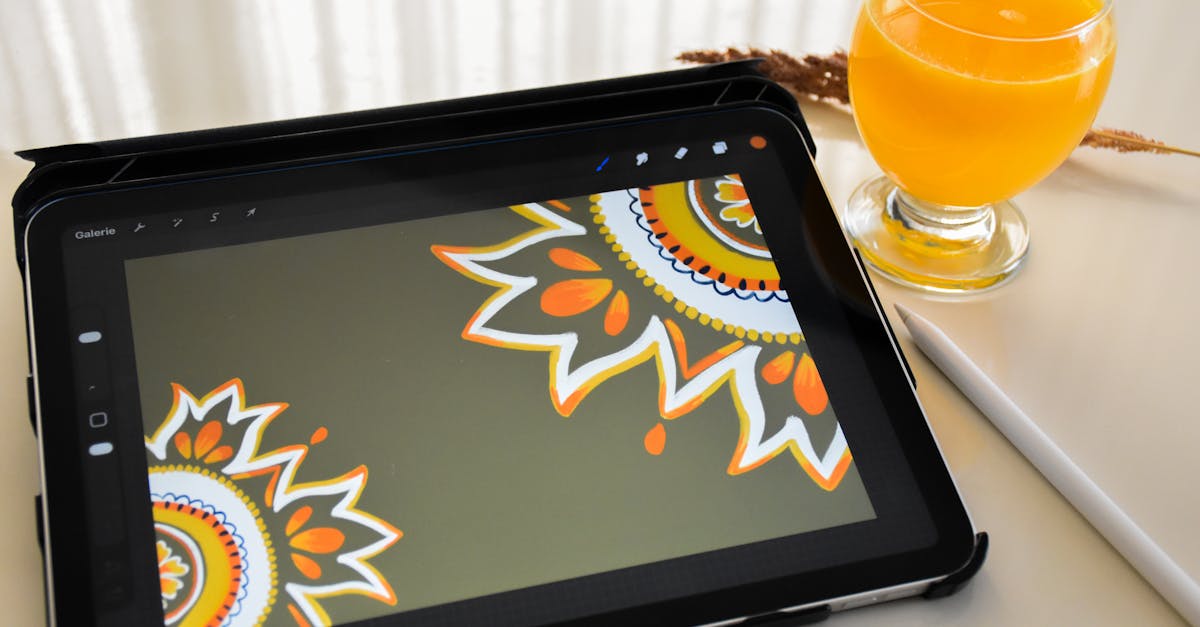
You do not need to pay $30/month for Midjourney to create amazing AI images. Several free tools produce professional-quality results.
I have tested every major free AI image generator. Here are the ones actually worth your time, ranked by quality and usability.
The Best Free AI Image Generators
1. Leonardo AI - Best Overall Free Option
Free tier: 150 tokens daily (about 30-50 images depending on settings)
Leonardo stands out because the free tier is genuinely generous and quality rivals paid tools.
Strengths:
- High quality image generation
- Multiple AI models to choose from
- Image-to-image capabilities
- Canvas editing tools
- Commercial use allowed on free tier
Limitations:
- Daily token reset (not cumulative)
- Some features locked to paid tiers
- Queue times during peak hours
Best for: Daily creative work, social media content, marketing materials
How to get started:
- Sign up at leonardo.ai
- Get 150 free tokens immediately
- Choose a model (Leonardo Diffusion XL recommended)
- Start generating
2. Microsoft Bing Image Creator - Best Quality (Completely Free)
Free tier: Unlimited (with "boosts" for faster generation)
This is DALL-E 3 quality for free. Microsoft subsidizes it through Bing.
Strengths:
- DALL-E 3 quality (same as ChatGPT Plus)
- No daily limits
- Simple interface
- Excellent prompt understanding
- Works with Microsoft account
Limitations:
- Cannot use commercially
- No editing or variation tools
- Watermarked (subtle)
- Must use Bing interface
Best for: Personal projects, presentations, social media (non-commercial)
Pro tip: Be specific with prompts. DALL-E 3 excels at understanding detailed descriptions.
3. Stable Diffusion (Self-Hosted) - Unlimited and Free
Free tier: Completely unlimited (run on your hardware)
If you have a decent computer, Stable Diffusion is unlimited free AI image generation.
Strengths:
- No limits whatsoever
- Full control over settings
- Thousands of community models
- No content restrictions
- Complete privacy
- Commercial use allowed
Limitations:
- Requires GPU (8GB+ VRAM recommended)
- Technical setup required
- Learning curve for best results
- Your hardware, your electricity
Best for: Power users, bulk generation, full creative control
Getting started:
- Easy option: Use Automatic1111 web UI
- Easiest option: Use ComfyUI
- No GPU? Try Google Colab notebooks (free tier available)
4. Playground AI - Great Free Daily Credits
Free tier: 500 images per day
Playground offers a generous free tier with a user-friendly interface.
Strengths:
- 500 free images daily
- Multiple model options
- Image editing features
- Style presets
- Commercial use allowed
Limitations:
- Quality slightly below Leonardo/DALL-E 3
- Some features paid-only
- Can feel cluttered
Best for: High volume needs, experimentation, learning AI art
5. Adobe Firefly - Best for Design Integration
Free tier: 25 generative credits monthly
Adobe's AI integrates with their creative suite.
Strengths:
- Trains only on licensed content (safe for commercial use)
- Integrates with Photoshop, Illustrator
- Good quality output
- Professional-grade tools
- Content credentials built in
Limitations:
- Only 25 credits/month free
- Requires Adobe account
- More conservative outputs
Best for: Designers using Adobe tools, commercial-safe imagery
6. Canva AI (Magic Media) - Best for Non-Designers
Free tier: Limited daily generations in Canva Free
Built into Canva, so you can immediately use generated images in designs.
Strengths:
- Integrated with Canva's design tools
- Simple interface
- Immediate use in templates
- Good for social media graphics
Limitations:
- Limited free generations
- Quality not top tier
- Requires Canva account
Best for: Quick social media graphics, presentations, non-designers
7. NightCafe - Best for Art Styles
Free tier: 5 free credits daily + earning opportunities
NightCafe focuses on artistic styles and community features.
Strengths:
- Multiple AI models
- Artistic style presets
- Community features
- Earn credits through participation
- Print-on-demand integration
Limitations:
- Only 5 daily credits
- Credit system can be confusing
- Slower generation
Best for: Artistic styles, community engagement, print products
8. Craiyon (formerly DALL-E mini) - Unlimited Free
Free tier: Unlimited (with ads)
The original viral AI image generator, still completely free.
Strengths:
- Completely free and unlimited
- No account required
- Simple interface
- Fast for basic use
Limitations:
- Lower quality than newer tools
- Ads in free version
- Limited control
Best for: Quick experiments, memes, casual use
9. Pixlr AI - Web-Based Editing + Generation
Free tier: Limited generations
Combines AI generation with image editing.
Strengths:
- Image generation + editing in one tool
- Web-based (no install)
- Reasonable quality
- Background removal and other tools
Limitations:
- Limited free generations
- Not specialized for generation
Best for: Quick edits with some generation needs
10. Ideogram - Best for Text in Images
Free tier: 25 daily generations
Ideogram excels where others fail: text rendering in images.
Strengths:
- Excellent text rendering
- Good prompt understanding
- Clean interface
- Daily free credits
Limitations:
- Limited free tier
- Newer platform
- Fewer advanced features
Best for: Images with text, logos, typography-heavy designs
Comparison Table
| Tool | Daily Free Limit | Quality | Commercial Use | Ease of Use |
|---|---|---|---|---|
| Leonardo AI | ~50 images | Excellent | Yes | Easy |
| Bing Image Creator | Unlimited | Excellent | No | Very Easy |
| Stable Diffusion | Unlimited | Excellent | Yes | Technical |
| Playground AI | 500 images | Very Good | Yes | Easy |
| Adobe Firefly | ~8/month | Very Good | Yes | Easy |
| Canva AI | Limited | Good | Varies | Very Easy |
| NightCafe | 5 images | Good | Varies | Easy |
| Craiyon | Unlimited | Basic | Yes | Very Easy |
| Ideogram | 25 images | Very Good | Check TOS | Easy |
Tips for Better Free AI Images
Write Better Prompts
The same prompt on a free tool can produce wildly different results based on how you write it.
Weak prompt: "a cat"
Strong prompt: "fluffy orange tabby cat sitting on a windowsill, soft morning light, photorealistic, detailed fur, shallow depth of field, cozy home interior background"
Include:
- Subject description
- Setting/environment
- Lighting
- Style (photorealistic, illustration, etc.)
- Mood or atmosphere
- Technical details (if relevant)
For detailed prompting, see our prompt engineering guide.
Use Negative Prompts
Many free tools support negative prompts - what you do NOT want:
"blurry, low quality, distorted, watermark, text, ugly, deformed"
Negative prompts prevent common AI image problems.
Generate Multiple and Select
Free limits are per-generation, not per-attempt. Generate multiple variations and pick the best.
Most tools let you generate 4 images at once for the same credit cost as 1.
Start With References
Some tools (Leonardo, Stable Diffusion) allow image-to-image generation. Upload a reference image and generate variations.
Use Style Presets
Tools like NightCafe and Playground offer style presets that add complex styling automatically. Use them to get professional looks without complex prompts.
Best Free Tool for Each Use Case
Social Media Content: Leonardo AI or Playground AI
- High volume, commercial use allowed
Presentations: Bing Image Creator
- High quality, no account hassle
Professional Marketing: Leonardo AI or Adobe Firefly
- Commercial-safe, quality output
Artistic Projects: NightCafe
- Style variety, community features
Learning/Experimenting: Craiyon or Playground AI
- Unlimited or high limits
Design Work: Canva AI or Adobe Firefly
- Integrated with design tools
Bulk Generation: Stable Diffusion (self-hosted)
- Truly unlimited
Text in Images: Ideogram
- Best text rendering
Common Free AI Image Generator Limitations
Watermarks
Some free tools add watermarks. Options:
- Bing: Subtle, bottom corner
- Craiyon: Can be cropped
- Most others: No watermark on free tier
Commercial Use Restrictions
Always check before using commercially:
- Safe: Leonardo, Playground, Stable Diffusion, Adobe Firefly
- Not allowed: Bing Image Creator (free tier)
- Check TOS: Others vary
Queue Times
Free tiers often have lower priority:
- Peak hours = longer waits
- Paid users get priority
- Early morning/late night = faster
Content Policies
All tools restrict certain content:
- No realistic faces of real people
- No violent/explicit content
- No copyrighted characters (enforced variably)
Stable Diffusion self-hosted has no restrictions (your choice, your responsibility).
Making Free Tools Work for Professional Use
Stack Multiple Free Tools
Use different tools for different needs:
- Leonardo for main content (150 tokens)
- Bing for additional images (unlimited)
- Playground for bulk work (500/day)
Combined: hundreds of free images daily.
Time Your Usage
Free tokens often reset daily. Plan your work around reset times. Generate what you need before limits reset.
Save and Organize
Build a library of your best generations. Many prompts produce good results once - save them rather than regenerating.
Upscale Results
Some free images need upscaling. Free tools like:
- Upscale.media
- Bigjpg
- Let's Enhance (limited free)
For more AI tools, see our best free AI tools guide.
The Bottom Line
You can create professional-quality AI images without spending anything. The free tiers are genuinely useful, not just teasers.
My recommendation for most people:
- Start with Bing Image Creator - DALL-E 3 quality, completely free
- Add Leonardo AI - 150 daily tokens, commercial use allowed
- Consider Stable Diffusion - If you want unlimited and have the hardware
These three cover 99% of needs without paying a cent.
For comparison with other AI creative tools, check our AI image generation guide and AI video generation tools.
Frequently Asked Questions
What is the best free AI image generator?
For most users, Leonardo AI offers the best free tier with 150 daily tokens and high quality output. Microsoft Bing Image Creator (DALL-E 3) is completely free with excellent quality. Stable Diffusion is unlimited but requires more technical setup.
Is there a free version of Midjourney?
Midjourney no longer offers a free trial. However, alternatives like Leonardo AI, Bing Image Creator, and Playground AI offer free tiers with similar quality. These are the best Midjourney alternatives for free use.
Can I use AI generated images commercially for free?
It depends on the tool. Bing Image Creator prohibits commercial use in free tier. Leonardo AI and Playground AI allow commercial use of free-tier images. Always check the specific terms of service before commercial use.