AI Voice Cloning in 2026: Clone Any Voice in Minutes (Best Tools Compared)
Discover the best AI voice cloning tools in 2026. Learn how to clone voices with ElevenLabs, create voiceovers, and understand the ethics of voice AI.
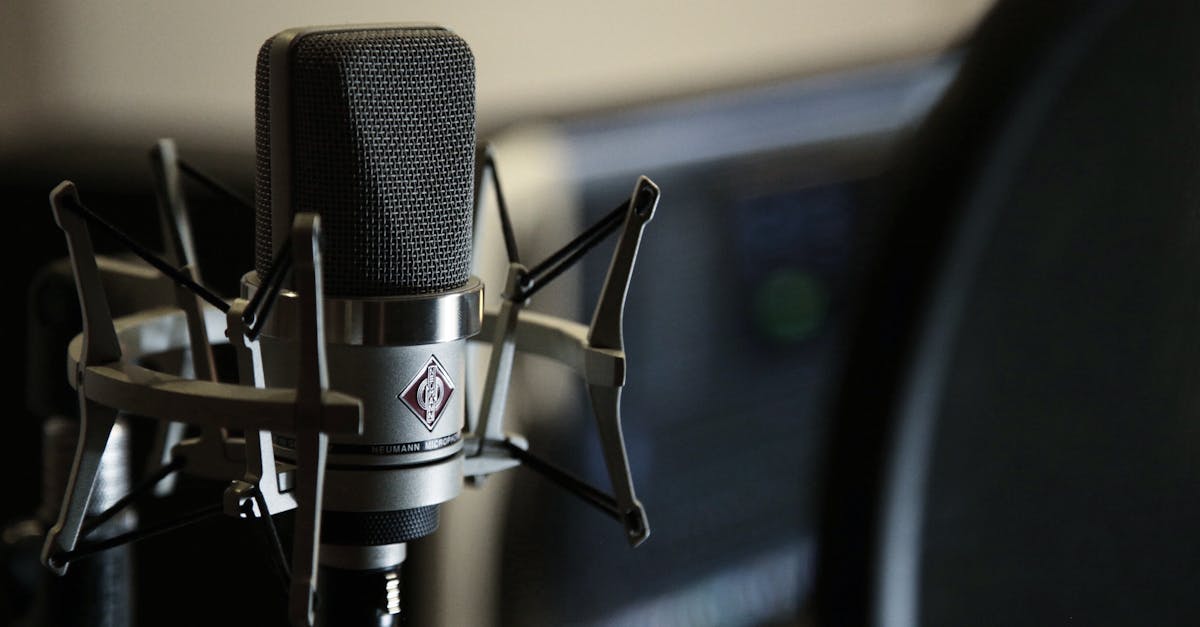
Your voice can now exist in 32 languages without you recording a single word in any of them.
AI voice cloning has evolved from a sci-fi concept to a practical tool that content creators, businesses, and developers use daily. Whether you want to narrate videos, create audiobooks, or build voice interfaces, these tools make it possible.
But with great power comes real responsibility. I'll cover the best tools, how to use them ethically, and what you need to know before cloning any voice.
How AI Voice Cloning Actually Works
Voice cloning AI analyzes recordings to understand the unique characteristics of a voice:
- Pitch and tone patterns
- Speaking rhythm and cadence
- Pronunciation habits
- Emotional expression tendencies
- Accent and dialect markers
The AI builds a model that can generate new speech in that voice from any text input. Modern systems achieve remarkable accuracy - often indistinguishable from the original speaker.
Two Types of Voice Cloning
Instant Voice Cloning
- Uses 1-5 minutes of audio
- Ready in seconds
- Good for most use cases
- ~80-90% voice similarity
Professional Voice Cloning
- Requires 30+ minutes of high-quality audio
- Takes hours to process
- Near-perfect reproduction
- 95%+ voice similarity
For content creation, instant cloning usually works fine. Professional cloning matters for audiobooks, virtual assistants, and commercial applications where every detail counts.
Best AI Voice Cloning Tools in 2026
I've tested all the major platforms extensively. Here's how they compare:
ElevenLabs - Best Overall
ElevenLabs leads the market for good reason. Their voice quality consistently beats competitors.
What I Like:
- Most natural-sounding output
- 32 languages from a single voice clone
- Excellent emotional expression
- Real-time voice generation (75ms latency)
- Large library of pre-made voices
What I Don't:
- Pricing adds up for heavy users
- Privacy policy concerns (they retain voice data rights)
- Free tier is limited
Pricing:
| Plan | Monthly Cost | Characters | Voice Clones |
|---|---|---|---|
| Free | $0 | 10,000 | 3 instant |
| Starter | $5 | 30,000 | 10 instant |
| Creator | $22 | 100,000 | 30 instant |
| Pro | $99 | 500,000 | Unlimited |
Best For: Professional content creators, businesses, anyone prioritizing quality.
Latest Models (2026):
- Eleven v3 (alpha) - Most expressive, best for voiceovers
- Eleven Flash v2.5 - Lowest latency, best for real-time apps
- Eleven Multilingual v2 - Best for non-English content
Fish Audio - Best Free Alternative
Fish Audio shocked the industry by matching (some say beating) ElevenLabs quality while being largely free and open-source.
What I Like:
- Quality rivals ElevenLabs
- Ranked #1 on TTS-Arena benchmarks
- Open-source options available
- Very competitive pricing
- 5-second voice cloning
What I Don't:
- Interface less polished
- Smaller community/support
- Fewer pre-built integrations
Best For: Budget-conscious users, developers, open-source advocates.
Chatterbox - Best Open Source
If you want full control and privacy, Chatterbox delivers ElevenLabs-quality results that run locally.
What I Like:
- MIT license - completely free
- Runs locally (privacy!)
- 5-second voice cloning
- 17 languages supported
- Emotional expression control
- Wins blind tests vs ElevenLabs
What I Don't:
- Requires technical setup
- Needs decent hardware
- No hosted option for non-technical users
Best For: Developers, privacy-focused users, those with technical skills.
Resemble AI - Best for Enterprise
Resemble AI targets businesses that need scale, security, and customization.
What I Like:
- On-premise deployment option
- Real-time speech-to-speech
- Enterprise security features
- Custom model training
- Deepfake detection built-in
What I Don't:
- Expensive
- Overkill for individuals
- Sales-driven pricing
Best For: Large companies, high-volume applications, security-conscious organizations.
Descript - Best for Content Creators
Descript combines video/audio editing with "Overdub" voice cloning. It's not the most powerful voice clone, but the workflow is unmatched.
What I Like:
- Voice cloning + editing in one tool
- Fix mistakes by retyping them
- Full podcast/video editing suite
- Intuitive interface
- Reasonable pricing
What I Don't:
- Voice quality below specialists
- Only your own voice (no cloning others)
- Limited languages
Best For: Podcasters, YouTubers, anyone who edits their own content.
Quick Comparison Table
| Tool | Quality | Free Tier | Languages | Best Feature |
|---|---|---|---|---|
| ElevenLabs | Excellent | 10K chars | 32 | Natural expression |
| Fish Audio | Excellent | Generous | 13 | Price/quality ratio |
| Chatterbox | Very Good | Unlimited | 17 | Privacy (local) |
| Resemble AI | Excellent | Trial | 30+ | Enterprise features |
| Descript | Good | Limited | 1 | Editor integration |
How to Clone Your Voice (Step by Step)
Let's walk through cloning a voice with ElevenLabs, the most popular option.
Step 1: Prepare Your Audio
Quality audio matters more than quantity. For best results:
Recording Tips:
- Use a decent microphone (even USB mics work)
- Record in a quiet room
- Maintain consistent distance from mic
- Speak naturally, don't perform
- Include varied sentences (questions, statements, emotions)
Avoid:
- Background noise
- Echo/reverb
- Multiple speakers
- Music or sound effects
- Heavy compression/processing
1-5 minutes of clean audio beats 30 minutes of noisy recordings.
Step 2: Create Your Voice Clone
- Sign up at ElevenLabs
- Go to "Voices" in the sidebar
- Click "Add Voice" → "Instant Voice Cloning"
- Upload your audio file(s)
- Name your voice
- Add a description (helps the AI understand intended use)
- Click "Add Voice"
Processing takes about 30 seconds. That's it.
Step 3: Generate Speech
- Go to "Speech Synthesis"
- Select your cloned voice
- Type or paste your text
- Adjust settings:
- Stability: Higher = more consistent, lower = more expressive
- Clarity: Higher = cleaner, lower = more character
- Style: Expression intensity (0-100)
- Click "Generate"
Experiment with settings. Different content benefits from different configurations:
| Content Type | Stability | Clarity | Style |
|---|---|---|---|
| Audiobook | 70-80 | 80-90 | 30-50 |
| YouTube narration | 50-60 | 70-80 | 50-70 |
| Dramatic reading | 30-50 | 60-70 | 70-90 |
| Professional presentation | 80-90 | 90-100 | 20-40 |
Step 4: Download and Use
Generated audio downloads as MP3 or WAV. Use it in:
- Video editors
- Podcast software
- E-learning platforms
- Presentation tools
- Websites and apps
Practical Use Cases
Voice cloning isn't just a novelty. Here's how people actually use it:
Content Creation
YouTube Videos: Record scripts once, regenerate whenever you need to update. No more re-recording for small changes.
Podcasts: Fix verbal mistakes by regenerating just those sections. Some creators generate entire episodes from scripts.
Audiobooks: Produce audiobooks without expensive studio time. Self-published authors increasingly use AI narration.
For more content creation tools, see our AI for content creation guide.
Business Applications
Training Videos: Create consistent corporate training without scheduling executives for recordings.
Customer Service: Build voice interfaces that sound human. IVR systems are actually pleasant to use now.
Localization: Translate content to multiple languages while keeping the original speaker's voice.
If you're using AI for business, check out our AI for business automation guide.
Accessibility
Reading Assistance: Convert any text to speech in a natural voice for visually impaired users.
Language Learning: Hear pronunciations in natural voices across languages.
Preserved Voices: Some people clone the voices of elderly relatives to preserve them.
Development
Prototyping: Test voice interfaces before investing in professional recordings.
Games and Apps: Add voice acting without hiring actors (for indie projects).
Chatbots: Make AI chatbots sound more human.
The Ethics of Voice Cloning
Voice cloning raises serious ethical questions. Here's my take:
What's Clearly OK
- Cloning your own voice
- Cloning voices with explicit written permission
- Using licensed stock voices
- Historical figures (usually - check local laws)
- Clearly disclosed AI voices
What's Clearly Not OK
- Cloning someone without permission
- Creating misleading content (fake quotes, fake endorsements)
- Scam calls impersonating people
- Non-consensual intimate audio
- Bypassing verification systems
The Gray Areas
- Satire and parody (depends on jurisdiction)
- Fan content (varies by platform)
- News reporting purposes
- Educational demonstrations
- Deceased individuals (ethical debates ongoing)
Platform Policies
Major platforms now require AI audio disclosure:
| Platform | Policy |
|---|---|
| YouTube | Must label synthetic voices |
| TikTok | Requires AI content disclosure |
| Spotify | Bans deepfake podcasts without consent |
| Twitter/X | Synthetic media labeling required |
Violating these policies can result in content removal or account bans.
Privacy Concerns
ElevenLabs and some competitors have concerning terms of service. ElevenLabs claims a "perpetual, irrevocable, royalty-free, worldwide license" over voice data you upload - even after account deletion.
If privacy matters, consider:
- Local solutions like Chatterbox
- Reading terms of service carefully
- Using separate accounts for sensitive projects
For more on AI privacy, see our AI privacy guide.
Detection and Watermarking
The industry is developing ways to identify AI-generated audio:
Current Detection Methods
- Spectral analysis - AI audio has different frequency patterns
- Breathing pattern detection - AI voices don't breathe naturally
- Silence analysis - Unnatural gaps between words
- Watermark detection - Some tools embed inaudible signatures
Platform Detection
Major tech companies are implementing AI audio detection:
- YouTube scans uploads for synthetic voices
- Social platforms flag suspected deepfakes
- News organizations verify audio authenticity
Best Practices
If you're using AI voices for legitimate purposes:
- Disclose AI involvement clearly
- Don't try to deceive
- Keep records of consent/permissions
- Use platforms' labeling features
If you're worried about being deepfaked:
- Don't post extended clean audio publicly
- Monitor for misuse of your voice
- Report violations to platforms
Troubleshooting Common Issues
Voice Doesn't Sound Right
Problem: Clone sounds robotic or unnatural
Solutions:
- Use cleaner source audio
- Try lower stability settings
- Add more varied sample recordings
- Experiment with different models
Pronunciation Problems
Problem: Names, technical terms, or unusual words mispronounced
Solutions:
- Use phonetic spelling in brackets
- Try alternative spellings
- Some platforms support SSML markup
- Generate in segments and edit together
Emotional Mismatch
Problem: Voice tone doesn't match content mood
Solutions:
- Adjust style/emotion sliders
- Add direction in brackets: "[excited] Here's the big news..."
- Use punctuation for emphasis
- Try different voice models
Quota Running Out
Problem: Free tier characters exhausted
Solutions:
- Optimize text length before generating
- Generate only final versions, not drafts
- Consider open-source alternatives
- Batch similar content together
Getting Started Today
Here's my recommended path for beginners:
Day 1: Explore
- Try ElevenLabs free tier with pre-made voices
- Test Fish Audio as a free alternative
- Generate simple text to understand quality
Day 2: Clone
- Record 2-3 minutes of your voice
- Create an instant voice clone
- Generate test content
Day 3: Apply
- Create something real (video narration, podcast segment)
- Experiment with settings
- Integrate into your workflow
Ongoing:
- Respect ethical boundaries
- Disclose AI use appropriately
- Stay updated on policies and capabilities
The Future of Voice AI
Voice cloning is evolving rapidly. Coming developments:
- Real-time conversation - Clone voices that can have live conversations
- Emotion transfer - Copy emotional delivery, not just voice
- Singing synthesis - Create music in any voice
- Memory and personality - Voices that remember context
- Better detection - More sophisticated authenticity verification
The technology is powerful and getting more powerful. Using it responsibly matters more than ever.
Related Resources
- AI Video Generation Tools - Create videos to go with your audio
- Sora AI Video Guide - OpenAI's video generator
- AI Music Generation Tools - Create music with AI
- Best Free AI Tools 2026 - More free AI tools
- AI for Content Creation - Complete content toolkit
- Is AI Safe? - Understanding AI risks


